How to display results of a Content Query on a page
- 100%
- 6.0
- Enterprise
- Community
Planned
Overview
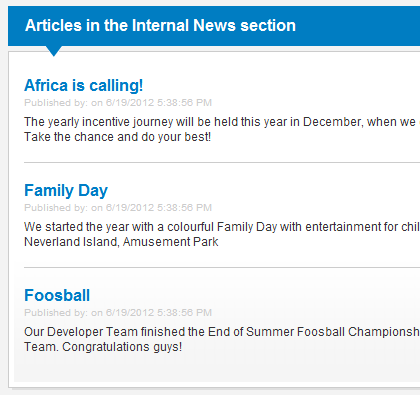
Displaying one or more content on a page is one of the most common tasks in Sense/Net ECMS. In this article we provide a simple three-step method to achieve this. Usually you have to create a Collection View or XSLT Renderer to render the content on the page (if there is no appropriate view created already) then place a Portlet to a page that displays the content.
In this article you can read about displaying content using the Content query presenter Portlet. Alternatively you can use a Smart Folder and the Content collection Portlet.
Steps
1. Create the collection view
First you’ll need a collection view to display more content. If there is no predefined view that you can use, please check one of the following articles for how to create a custom collection view.
For evaluation purposes you can use the built-in default collection view:
- /Root/Global/renderers/ContentCollectionView.ascx
2. Add a portlet page
If there is no page exists where you want to display one or more content, follow the steps in this article to add a page.
3. Add a portlet
In Sense/Net ECMS the building blocks that users see on pages are called portlets. To learn how can you add a portlet to a page, follow the steps in this article.
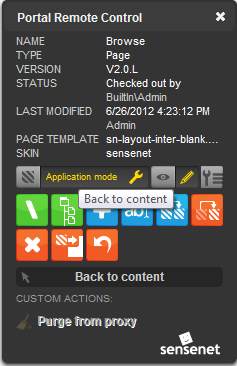
Please note that after you add a portlet to an Application page you need to navigate back to the original content to see the original content displayed by the portlet
Display content using the Content query presenter portlet
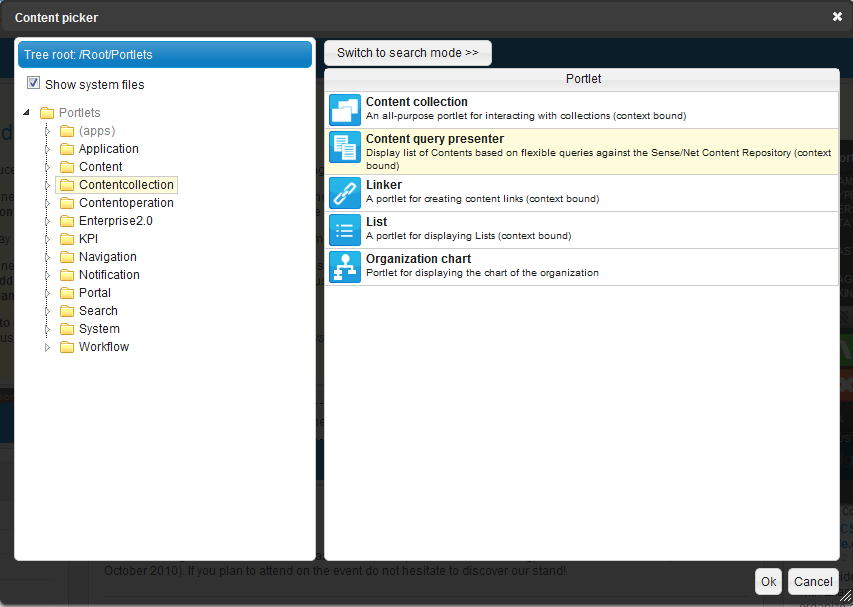
Content query presenter Portlet is used for displaying content that can be collected easily by a Content Query. The content can be anywhere in the repository. The following image shows where to look for the portlet in the portlet picker.
Set portlet properties
Open the portlet properties dialog and set the following properties:
- Choose the collection view defined above as the View.
- Provide a query text on the Query panel to collect the content you want to display.
Fore example the following query gets the latest 5 Article content from the repository:
+TypeIs:Article .TOP:5 .REVERSESORT:CreationDate
Related links
- Content collection Portlet
- Content query presenter Portlet
- Collection View
- XSLT Renderer
- Portlet
- Smart Application Model
- Smart Pages
- How to display a Content Collection on a page
- How to create a simple Portlet Page
- How to add a portlet to a page
References
There are no external references for this article.
