Active Directory Synchronization
- 100%
- 6.0
- Enterprise
- Community
Planned
Overview
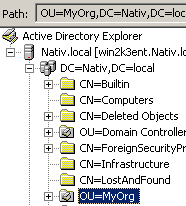
Sense/Net comes with Active Directory (AD) synchronization features:
- AD to Portal sync: AD users can be synchronized to the portal
- Portal to AD sync: portal users can be synchronized to AD servers.
Changes are updated with batch synchronization meaning that all changes are synchronized periodically in one step performed by a standalone application. For immediate syncing you can use
- Sync Object from AD Portlet - as available via an action link on /Root/IMS folder.
Some other Active Directory related features include the following:
- eDir to Portal sync: Novel eDir users can be synchronised to the portal,
- Forms authentication from AD: portal users can be authenticated against an AD on login regardless of login type (NTLM or Forms),
- AD users can be logged in to the portal as virtual users even if they are not present in the portal (set up Forms authentication from AD with virtual users and define property mappings with AD to Portal sync).
By setting up Active Directory synchronization users gain the following advantages:
- when using both Sense/Net portal and Active Directory server in an enterprise environment user profiles need not to be maintained in both of the user directories (portal and AD).
- accessing advanced WebDav features via Integrated Windows authentication (such as editing Office documents online) is easily installed using AD sync (to AD) (WebDav features are only available via NTLM authentication and therefore the portal users have to be present in an AD as well).
- installing a new Sense/Net portal with Forms authentication into an environment with already existing AD server containing dozens of users is easily done by using AD sync (to Portal) and activating Forms authentication from AD.
Details
Sync tools
Synchronization can be carried out using our built-in tools. See the articles for both directions for details:
- AD to Portal sync: a task executor tool
- Portal to AD sync: a standalone console application
Active Directory objects can also be synced with immediate synchronization using the
Basic concepts and features
Object types
Synchronization affects the following types of objects:
| AD object | portal object |
|---|---|
| user | User (or derived type) |
| group (security / distribution) | Group |
| organizationalUnit | Organizational Unit |
| Organization (only with eDir to Portal sync) | Organizational Unit |
| container | AD Folder |
| domain | Domain |
Sync-trees
Mapping of objects is configured by the definition of so-called sync-trees. A sync-tree defines the root element of the tree of synchronized objects both on the portal and in the AD. This means that whole object trees can be easily synchronized by simply defining the root element of the tree and the mapping of this root element to the portal / to the AD. Every object under the sync-tree root is mapped with respect to the mapping of the root objects. In order to customize which objects should be synchronized under in a sync-tree exceptions can be configured. See detailed explanation in the configuration section.
Servers and Domains
Different sync-trees may be defined on different servers and under different domains. This means that it is possible to sync objects from different domain controllers to the portal and to different domain controllers from the portal. Please note that the current implementation handles separate domains with the following restrictions:
- Moving of objects between domains hosted by different servers is not supported
- Cross-reference of objects between domains hosted by different servers is not supported
- Child domains hosted by separate servers must be synced to portal as if they were in no relation (should not be placed under each other)
Guid and last sync date
The synchronization of objects is based on the objects' objectGuid property in AD (the corresponding property of portal objects is called syncGuid). This means that whenever an object is updated the corresponding object to be updated is found by searching for the object having the same guid:
- When updating an AD object the corresponding portal object with the same guid is searched under /Root/IMS
- When updating a portal object the corresponding AD object with the same guid is searched in all of the sync-trees
When a new object is created the objectGuid property of the AD object is copied into the syncGuid field of the portal object. In the Portal to AD direction the creation of a portal object triggers a creation of an AD object: the created AD object's objectGuid is copied back to the portal object's syncGuid.
The portal objects that are synchronized contain another property: lastSync. This date property shows the time of the last synchronization. This date is primarily used in AD to portal user and group synchronization: only those users'/groups' properties are synced that have been modified since the last synchronization (either in AD or in the portal). Note that moving objects in AD is always updated on the portal regardless of this property. Also note that moving objects on the portal will not update this property in the current implementation.
User synchronization
Syncing of users includes the following:
- creating new users
- updating user property changes
- renaming and moving users within AD server and sync-tree bounds
- deleting users
Notes:
- The different user properties in AD and on the portal can be mapped onto each other using the global AD sync settings content.
- By default portal user property Name and AD user properties Name and sAMAccountName are mapped to each other:
- renaming a portal user will cause the corresponding AD object's Name and sAMAccountName properties to be set to the portal user's Name property
- renaming an AD user will cause the corresponding portal user's Name and LoginName fields to be set to the AD user's sAMAccountName property
- the default sAMAccountName can be changed by defining a property mapping with Name PortalProperty and a custom AD property instead of sAMAccountName as AdProperty
- User properties in AD to portal direction are only updated when the AD object's whenchanged property exceeds the portal object's lastSync property or the content changed in the meantime in the Content Repository.
- Multi-valued AD properties are handled as single-valued: if not empty the first item will be treated as the value of the property (eg. even if you give 2 other telephone numbers (otherPhone) only the first one will be synced to portal). In case you need to sync more properties of the same type create another property in the AD scheme (eg. secondaryPhone) and define a property mapping in the configuration.
- User deletions are never synchronized as physically deleting the user on the other server. For example if you delete a user on the portal the corresponding user in AD is not deleted but set to disabled and moved to a special folder instead that can be defined in the configuration - the same applies to the other direction. Note that there might be special contstraints defined either on the portal or in an AD that ensures that two object never has the same property value for a configured property. In order to avoid the collision of properties of previously disabled and newly created users marked properties of a disabled user are prefixed with the date of deletion. Definition of these properties can also be set in the property mapping configuration.
Group synchronization
Syncing of groups includes the following:
- creating new groups
- updating group membership changes
- renaming and moving groups within AD server and sync-tree bounds
- deleting groups
Notes:
- Group membership changes in AD to portal direction are only synced when the AD object's whenchanged property exceeds the portal object's lastSync property or the content changed in the meantime in the Content Repository.
- Members are updated according to the following: the guid of AD group members is retrieved using the most suitable synctree to retrieve the user from AD. If no such synctree exists, the group's synctree IP will be used to connect to AD and get user's guid. Portal user is then loaded using this guid, and group membership is updated. If portal user by given guid does not exist, the member is not added to the group.
Folder (Container/AD Folder/Organizational Unit) synchronization
Syncing of folders includes the following:
- creating new folders
- renaming and moving folders within AD server and sync-tree bounds
- deleting folders
Notes:
- Moving a folder to another location causes all of its children to be moved as well.
- Deleting a folder causes all of its child folders and groups to be deleted as well. Child users will be disabled and moved to a special deleted folder that can be defined in the configuration (see configuration for details).
- If deleting/moving of child objects fails the folder is not deleted
Configuration
Different configuration files correspond to the different sync directions (and features).
The settings for AD to Portal sync be found under
- before version 6.5.3 (Patch 5): /Root/System/SystemPlugins/Tools/DirectoryServices/AD2PortalConfig.xml
- from version 6.5.3 (Patch 5): /Root/System/Settings/SyncAD2Portal.settings
The settings for Portal to AD sync can be found under
- /Root/System/SystemPlugins/Tools/DirectoryServices/Portal2ADConfig.xml
Forms authentication from AD and virtual user settings can be given in the web.config.
Logging and Error Handling
Every initiated action is logged in the system. Should an error occur during an action the execution will not hang instead the error is logged and the execution proceeds to the next action. Every single action and error is timestamped. In case of Portal to AD sync there is a possibility to redo/retry an unsuccessfully executed action, see details.
AD to Portal log
A log file with a time stamp in its name is created next to the executor every time a synchronization is performed.
Portal to AD log
A daily logfile (rolling, max size is 200kB) is created in the web folder:
adsync.log
Example
A typical log file may have a content similar to the following:
2010.10.11. 16:04:48 Start Start: SyncAD2Portal, id: 54667c38-c2c2-49cd-95ee-ba076547b8a2, method:Void Main(System.String[]), ticks:53542326027
2010.10.11. 16:04:48 Information Cacheing portal users...
2010.10.11. 16:04:49 Information Cacheing portal groups...
2010.10.11. 16:04:49 Information Cacheing portal containers...
2010.10.11. 16:04:49 Information Syncing containers (domains, orgunits, containers) (OU=MyOrg,DC=Nativ,DC=local --> /Root/IMS/NATIV/MyOrg)
2010.10.11. 16:04:49 Verbose       Syncing (AD object: LDAP://192.168.0.75/OU=MyOrg,DC=Nativ,DC=local)
2010.10.11. 16:04:49 Verbose          New portal domain - creating under /Root/IMS (AD object: LDAP://192.168.0.75/DC=Nativ,DC=local)
2010.10.11. 16:04:49 Verbose          Updating portal domain properties (AD object: LDAP://192.168.0.75/DC=Nativ,DC=local; portal object: /Root/IMS/a9bed9ad-1218-4ae5-b578-83c310f19fb5)
2010.10.11. 16:04:49 Verbose          New portal orgunit - creating under /Root/IMS/NATIV (AD object: LDAP://192.168.0.75/OU=MyOrg,DC=Nativ,DC=local)
Example/Tutorials
Related links
- AD to Portal sync
- Portal to AD sync
- eDir to Portal sync
- Forms authentication from AD
- Sync Object from AD Portlet
- ADSync API
References
There are no external references for this article.
