Concurrency control
- 100%
- 6.0
- Enterprise
- Community
Planned
Overview
In an enterprise environment, where there are lots of content to manage by lots of users, concurrency is a key factor. In case of Sense/Net ECMS content are stored in the Content Repository. This article provides concepts and best practices for developers on how to handle concurrency during creating and modifying content. To read more about the fundamentals of concurrency control please proceed to the Wikipedia article.
Details
The issue
We try to make creating and modifying content as fast as we can. However in a real enterprise environment, when in-memory cache is widely used and there is a chance that different users want to modify the very same content at the same time, it is physically impossible to make sure that saving operations do not collide. There are different approaches to control these kind of situations. In Sense/Net ECMS we chose the optimistic approach to handle concurrency. This means we do not use locking for performance reasons. When somebody loads, modifies and tries to save a content that has been modified by somebody else in the meantime, an exception will be thrown of type NodeIsOutOfDateException. It is the responsibility of the caller to handle this exception and choose the right solution:
- try to save the content again, or
- present the error to the user and let him decide what to do
The following section describes why we cannot retry saving the content automatically.
Why automation does not work
The process is the following
- load the content
- modify the content (a couple of fields)
- save the content
It is possible that in the meantime somebody else modified the content. Or in a more complex situation, if the business logic loads and saves the same content multiple times, concurrency error may occur. Either way, if a NodeIsOutOfDateException was thrown, developers have to do one of the following:
- use the field values of the old content and save it again, thus overriding the work of the previous user
- reload the content and save it with the same field values we tried to add
- reload the content and revise the modifiable field values according to the fresh content
The point is, any of the solutions above can be correct: it depends on the business logic which approach should we choose. The following section describes a pettern you may use to handle this situation.
The pattern to use
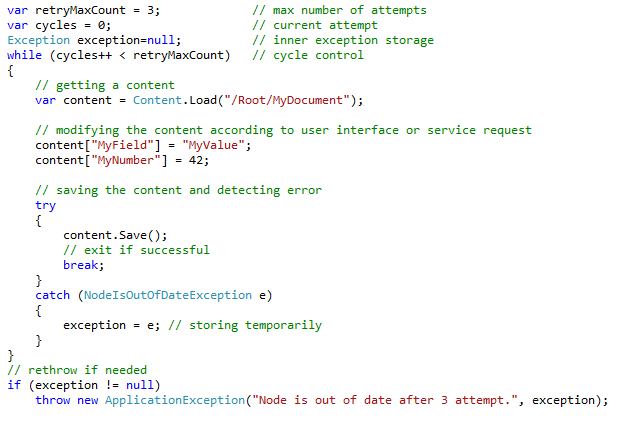
The following pattern demonstrates how to handle NodeIsOutOfDateException when it is possible to save the content again, without user interaction.
var retryMaxCount = 3;             // maximum number of attempts
var cycles = 0;                    // current attempt
Exception exception = null;        // inner exception storage
while (cycles++ < retryMaxCount)   // cycle control
{
    // loading the content
    var content = Content.Load("/Root/MyDocument");

    // modifying the content according to user interface or service request
    content["MyField"] = "MyValue";
    content["MyNumber"] = 42;

    // saving the content and detecting error
    try
    {
        content.Save();

        // successful save, exit loop
        exception = null;
        break;
    }
    catch (NodeIsOutOfDateException e)
    {
        exception = e; // storing the exception temporarily
    }
}

// rethrow if needed
if (exception != null)
    throw new ApplicationException("Node is out of date after 3 attempts.", exception);
