Organization chart Portlet
From Sense/Net Wiki
- 100%
- 6.0
- Enterprise
- Community
Planned
Overview
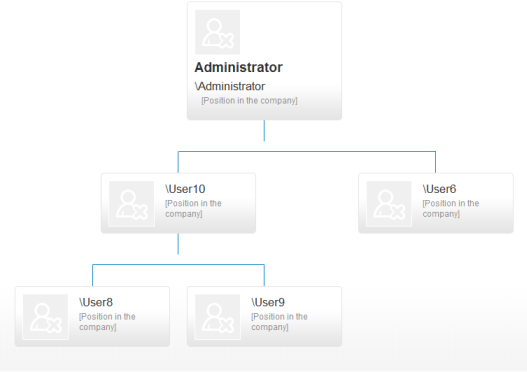
The Organizational Chart portlet helps you to draw the hierarchy of your organization with the given parameters.
Usage
After you added the portlet to the page, you can change the default settings in the edit properties window of the portlet. The main settings are:
Chart settings section
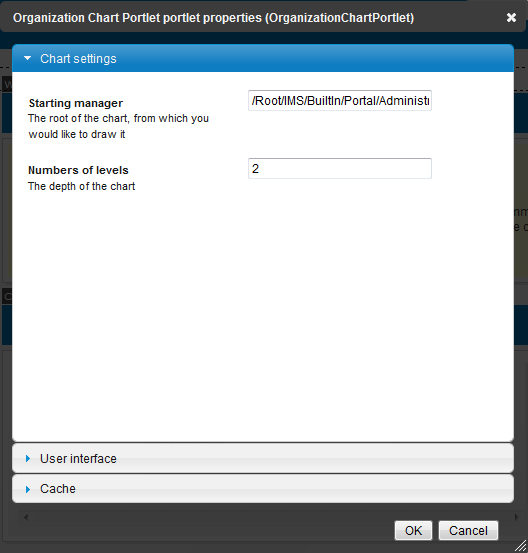
- Starting manager: the root of the chart, from which you would like to draw it. You must set the fully qualified name of the user, for example: /Root/IMS/Demo/MainOffice/User8. The default value is set to the Administrator.
- Number of levels: the depth of the chart which you want to draw. The default value is 2.
User interface section
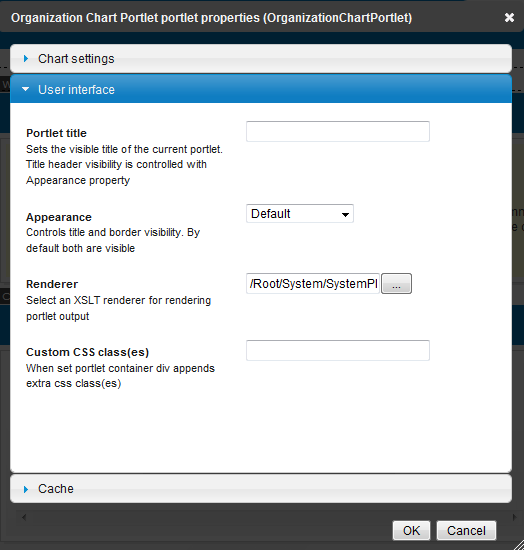
- Renderer: the path of the stylesheet which shows the user data. The default value is /Root/System/SystemPlugins/Portlets/OrganizationChart/OrgChartView.xslt.
Exceptions
You can get two main error messages when entering a wrong value.
- No such manager: you typed an invalid user name to the Starting manager textbox (for example, you didn't set the fully qualified name)
- Cannot generate chart because there are circular references between users: there are at least two users who are the manager of each other. In this case, the chart cannot be drawn. To solve the problem, check the properties of the users and eliminate the circular references.
