LongText Field Control
From Sense/Net Wiki
- 100%
- 6.0
- Enterprise
- Community
Planned
Overview
The LongText Field Control is a Field Control that handles LongText Fields and provides an interface to display/modify text data.
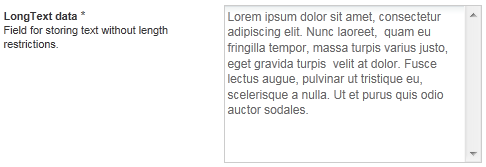
Details
With LongText Field Control textual data can be displayed or edited without length restrictions. Ideal for editing simple descriptions, but also can handle complex HTML formatted text to display custom visualized data.
Supported Field types
Properties
- FullScreenText: (optional) renders the Field Control in full screen for editing.
For a complete list of common Field Control properties see common Field Control properties.
Templates
The LongText Field Control is a simple Field Control that renders a single TextBox. In Browse mode simply the value of the Field is rendered.
Browse view template
<%@  Language="C#" %>
<%# DataBinder.Eval(Container, "Data") %>
Edit view template
<%@  Language="C#" %>
<asp:TextBox ID="InnerControl" runat="server" CssClass="sn-ctrl sn-ctrl-text sn-ctrl-textarea" TextMode="MultiLine"></asp:TextBox>
Example/Tutorials
Simple example
<sn:LongText ID="LongText1" runat="server" FieldName="Data1" />
This next example displays the Field Control for editing in full screen.
<sn:LongText ID="LongText1" runat="server" FieldName="Data1" ControlMode="Edit" FullScreenText="true"/>
Templated example
   <sn:LongText ID="LongText1" runat="server" FieldName="Data1">
      <EditTemplate>
         <asp:TextBox ID="InnerControl" runat="server" TextMode="MultiLine"></asp:TextBox>
      </EditTemplate>
   </sn:LongText>
