How to review running workflows
- 100%
- 6.0
- Enterprise
- Community
Planned
Overview
Users can start workflows in many different ways in Sense/Net. See the Workflow page for detailed information on creating and starting workflows. If the users started a workflow that is related to one content, the status of the workflow can be reviewed either on the Manage workflows page of the content list or on the Workflows page for that particular content.
Steps
In this section I will show you how to review the currently running workflows in a content list or for one content.
1. Displaying the Workflows page
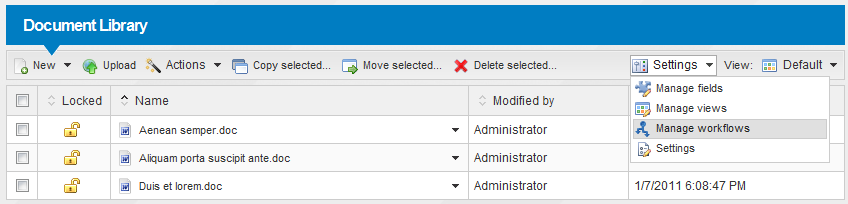
If you want to review the running workflows in a content list you have to go to the Manage workflows page. The Manage workflows menu item is available in the Settings menu of every Content List.
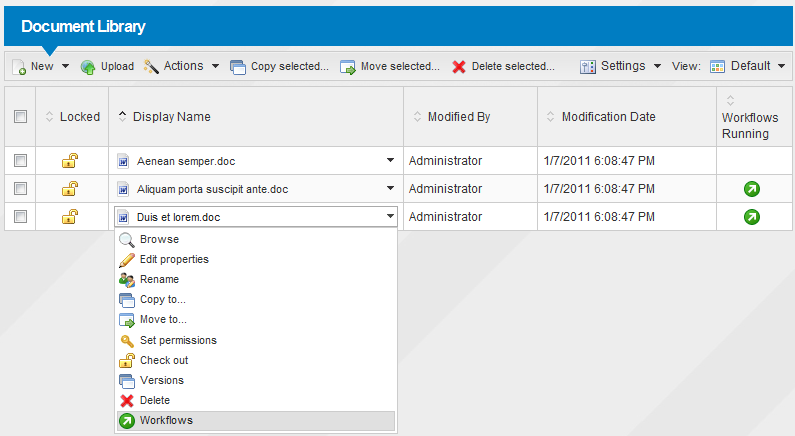
Alternatively, you can select the Workflows menu item from the action menu of a document and see the currently running workflows related to that particular document.
2. Currently running workflows
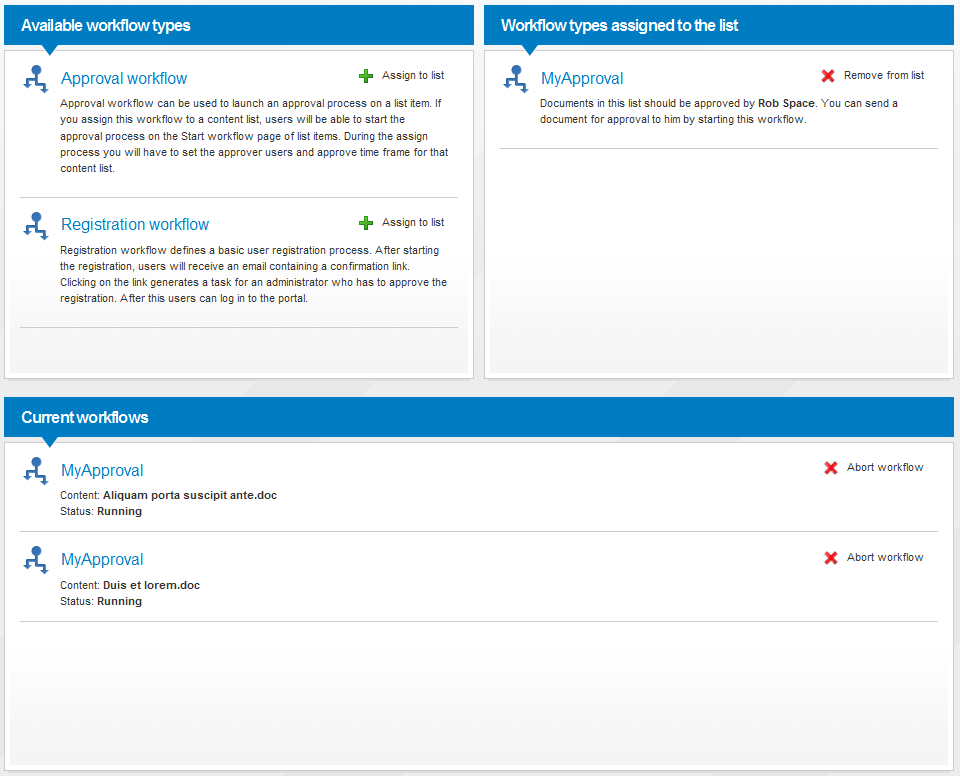
On the Manage workflows page you can see the the following panels:
- Globally available workflows (left panel)
- Workflows associated with this content list (right panel)
- Currently running workflows (bottom panel)
If you have Delete permission for running workflows, you can stop them by pressing the Abort workflow link next to the running instance. For more information about managing workflows in a content list see the Assigning workflows page.
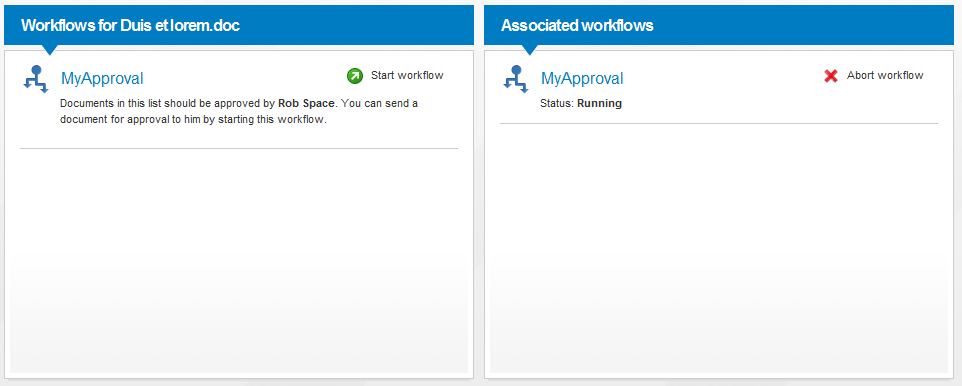
If you selected the Workflows action for one particular document, you will see the following page, listing the available and associated workflows for that document. You can start a new workflow here (on the left panel) or review the running workflows on the right panel. If you want to stop a currently running workflows, press the Abort workflow link next to the chosen instance.