Hard code explore
- 100%
- 6.0
- Enterprise
- Community
Planned
Overview
Hard Code Explore enables you to navigate the Content Repository tree and upload files even if the system has been ruined.
For portal builders
You can reach the Hard Code Explore page on http://localhost/HcExplore.mvc  . If you are not logged in as an administrator, you must do it now. After you authenticated, you can see the CR tree.
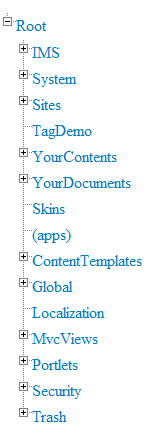
If you click to an item, its details will be shown below. You can do three main actions with the selected folder: upload a file to it, browse its content or edit its properties.
Upload a file
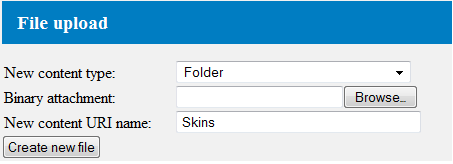
Firstly, you can select the content type of the new content. You can choose all supported types. Then you must select the binary file by clicking to the Browse button. Finally, you set the URI of the new content (without a full path). After you finished, click to the Create new file button and then the new content will be created under the selected folder.
Browse content
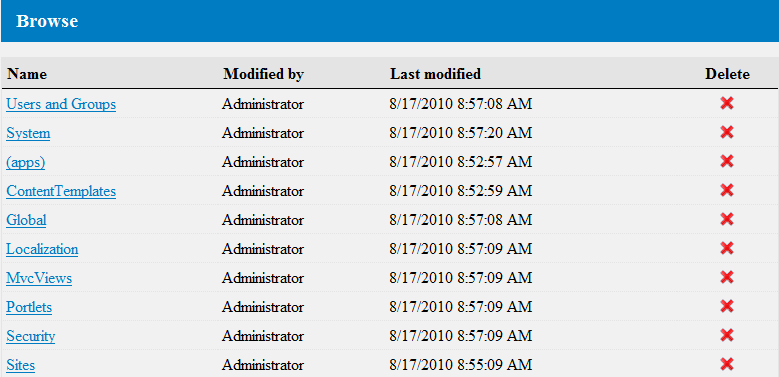
Below the browse section there is a list of the content of the selected item: it contains the folders and the files. If you click to one of them, you will be redirected to its page. You can delete any item with the Delete button.
Edit properties
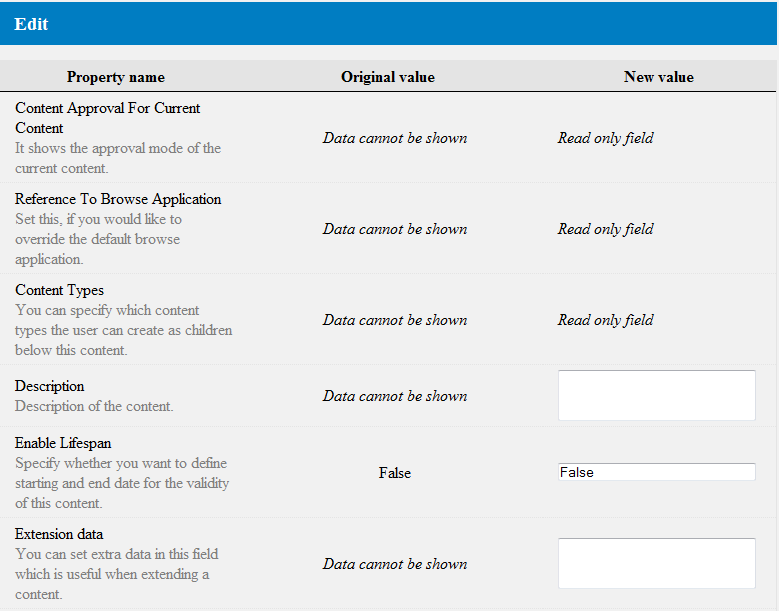
You can edit all properties of the selected content (supposing it is not read-only). After you finished the modification, click to the Update button to save your work.