Action List
From Sense/Net Wiki
Contents |
- 80%
- in progress
- Enterprise
- Community
Planned
Overview
| Action list enables you to see all the actions on a given content. |
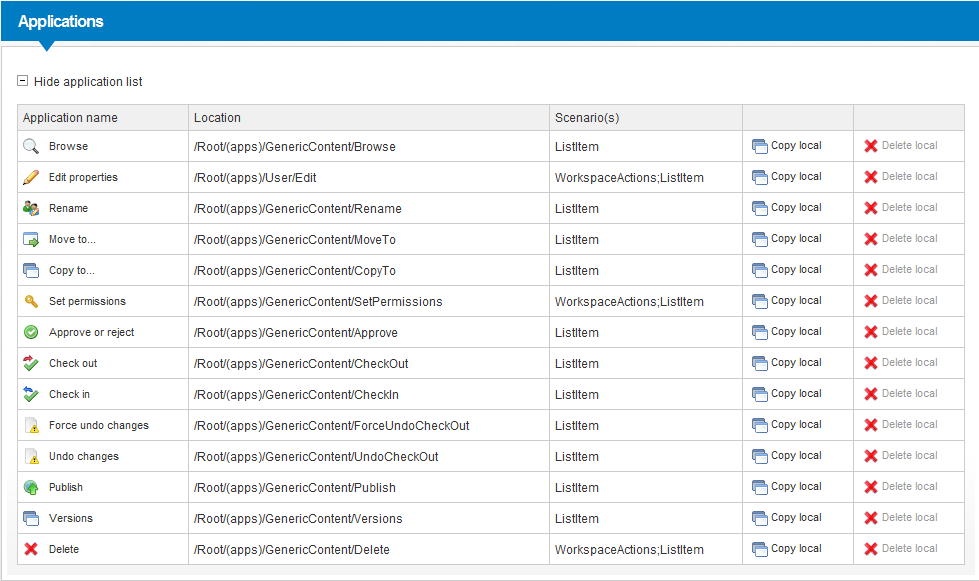
The usage of the action list
You can reach the available actions from the Portal Remote Control or by addressing the content with the ?action=ApplicationList suffix.
In the first column you can see the name of the applications. If you click one of them, it will be executed. The next two columns show the location and the scenarios of the applications. The last two buttons enables you to copy or delete local applications. They are helpful if you want to create or delete a specialized application to your content.
